
Building AI-First Codebases: How to Structure Repositories for Consistent AI-Driven Development
From architecture to prompts, a practical guide to setting up your backend repo so coding agents like GitHub Copilot and Claude can actually build what you want — cleanly, safely, and at scale.

In my last article, I used the BMAD method to generate product and architecture specs for Fitness Clash, an app where players can join public and private fitness challenges and compete with each other. In this article, I want to explore how to set up its code repository in a way that AI can generate consistent code, following our architecture, coding conventions, and the specs generated from my last iteration.
I'll be using VS Code + Github Copilot + Claud Sonnet for this experiment, but it can be ported to different IDEs such as Cursor or Windsurf, or even to CLIs like Claude Code, Aider, or Gemini CLI. The main idea here is to understand how to structure the codebase and prepare it to work with LLMs. For simplicity, I'll focus on the backend, but these concepts can be extended to the frontend as well.
Main Premises and Overall Architecture
A coding agent is like a brilliant recent graduate developer. It is clever and very motivated, but doesn't respect conventions, creates too complex solutions, and has messy code. It sometimes fails to understand requirements, generalizes incorrect premises, rushes things out, and builds unwanted features, leaving a pile of technical debt behind. As mentors, we need to help them follow conventions and checklists, and focus just on what is really important, and this will be our main premise when creating an “AI-first code repository”.
To make the LLM more efficient, we need to:
Provide context about the high-level view of the project, such as:
Product/technical specs
Overall architecture guidelines, repository structure, and specific instructions on what types of components we have, what they are intended for, and where they live.
Code conventions that must always be followed, including examples
Non-negotiable premises, such as security requirements
Limit the context of information the LLM will have access to for the task, so it won't hallucinate, get on the wrong path, or modify and break other features:
Avoid providing too much context from other features and use cases
Avoid changing other files and functions that are unrelated to the task
Ensuring the LLM doesn't try to do all the work at once, ensuring you will be able to review all changes and make required modifications
Provide low-level context of the task that needs to be solved, such as:
Very detailed requirements about the task that needs to be executed
A clear understanding of where it needs to be built, and what the required components are to complete the task
A task-level plan, with the subtasks that need to be completed, and a way to track its progress
If you are a smart engineer (and I bet you are), you will notice that these premises are not AI-specific, and software architects have been studying how to solve them for years and reduce the cognitive load required for developers to do their job. Many architectural patterns have been developed for that, so we definitely should follow one of them to make the life of our AI agent simpler. With that in mind, I decided to follow the clean architecture for the project.
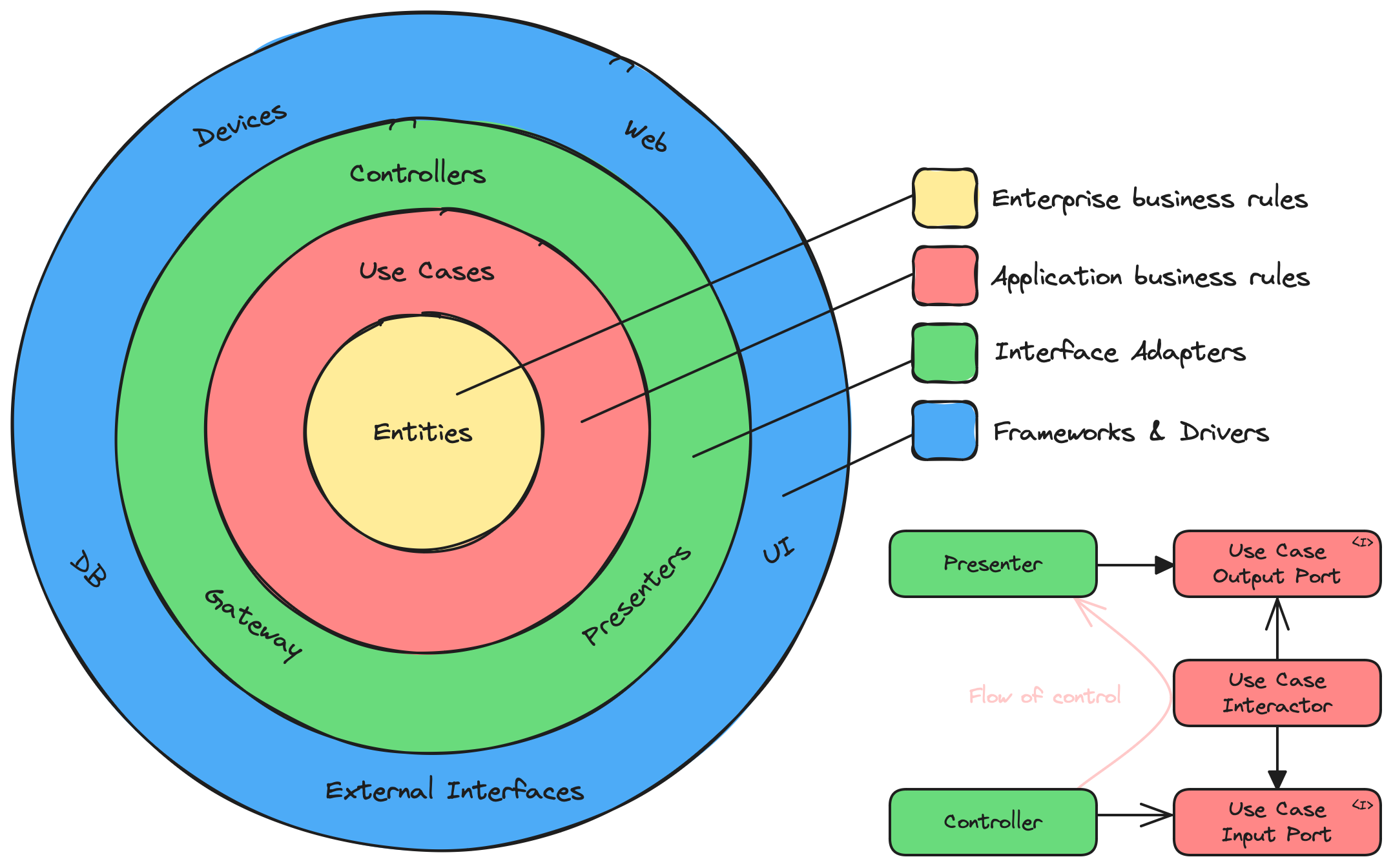
One of the aspects that made me go to this architecture is that the business domain is the central part of the project, and the infrastructure (the API layer, the database access, security layers, etc) are only secondary implementation details.
Also, most importantly, domain use cases (such as creating an account, submitting an exercise, checking the ranking, etc) are implemented in isolation. The developer (or the AI agent) doesn't need to worry about how other use cases work, and it is much easier to develop a new feature and maintain existing ones without messing with the codebase.
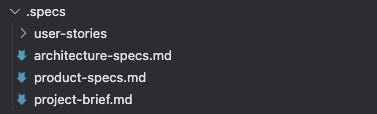
To start the project, I created an empty repository and added a .specs folder, including the project brief, product requirements, and the architecture document explaining the required stack and architecture.
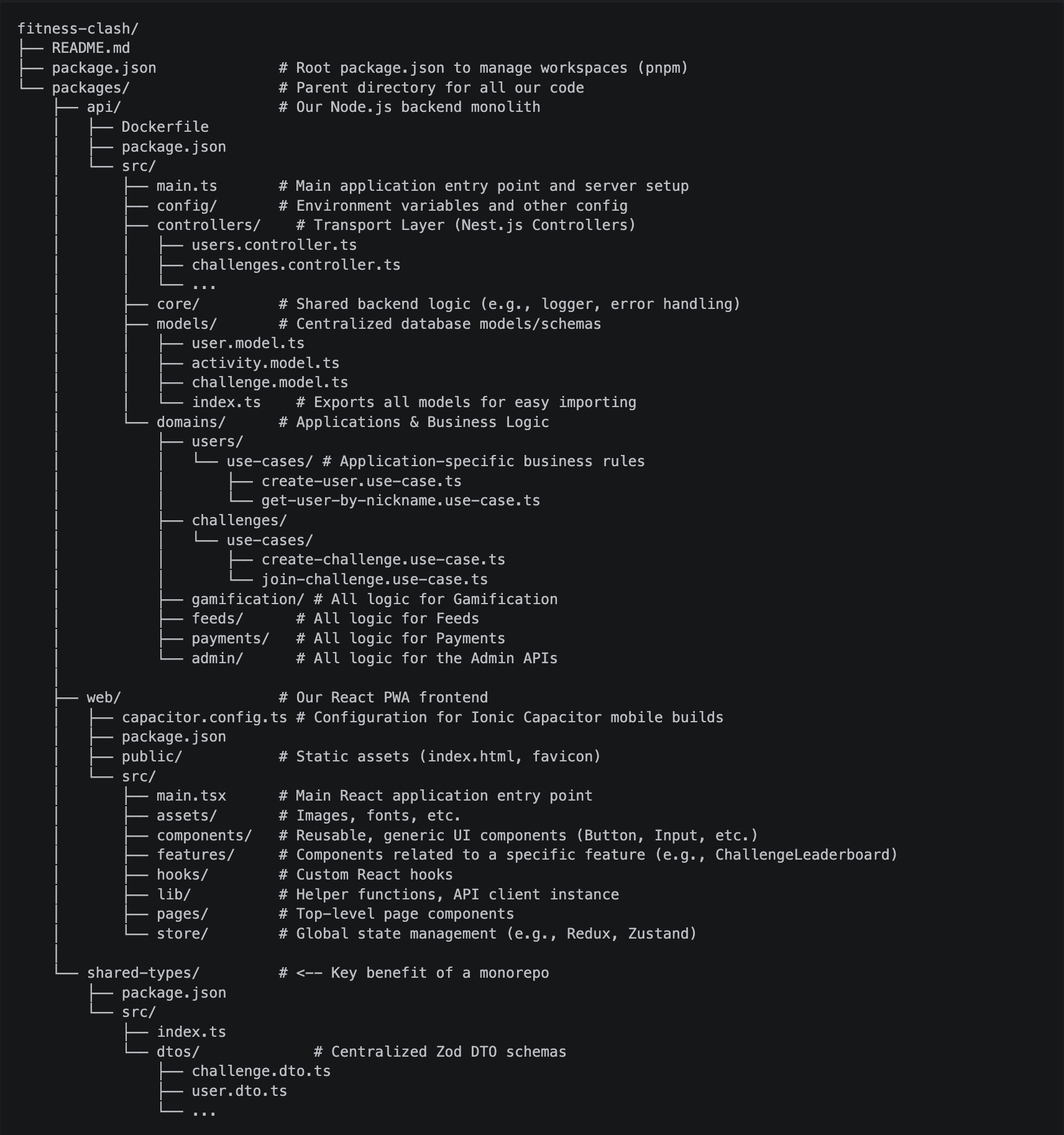
Then I asked Copilot to set up the project following the architecture (git repository, monorepo setup, folder structure, required packages, etc), reviewed and tested everything. It missed some requirements and made some mistakes in the middle, but in the end, I was able to get to a working empty frontend/backend, with all required packages and folders.
AI Context Folders
With the main project setup, the next step would be to create the folder and file structure to be used by the coding agent. For that, I included three main folders:
/.specs:A folder including the high-level project specs (product, project, architecture) in markdown (.md) files./.user-stories:A folder including user stories to be implemented, with all specific requirements, edge cases, acceptance criteria, etc. The idea is to include these stories here as we evolve the project, and I'm using the BMAD PO agent to generate them.
/.guidelines/api:A folder including all high-level and specific coding and architecture guidelines. All these files will include not only rules, but also specific code examples that the AI agent can follow:./architecture.guideline.md:A document to be always followed explaining what the tech stack is, how the project architecture is structured, what the responsibilities of each layer and type of file are, general constraints, etc../coding.guideline.md:Code conventions to be always followed, with things like clean code, naming conventions, good practices, etc../controllers.guideline.md:Specific instructions on how to implement new API controllers, which conventions to follow, how to set up and validate DTOs, etc../domain.guideline.md:Specific instructions on how to split and implement the domain, how usecase classes should be structured, how to use Command/Query segregation, etc../core.guideline.md:Specific instructions on how to organize and develop core infrastructure components such as authentication guards, generic types, etc../config.guideline.md:Specific instructions on how to build config classes./tests.guideline.md:Specific instructions on how to build tests
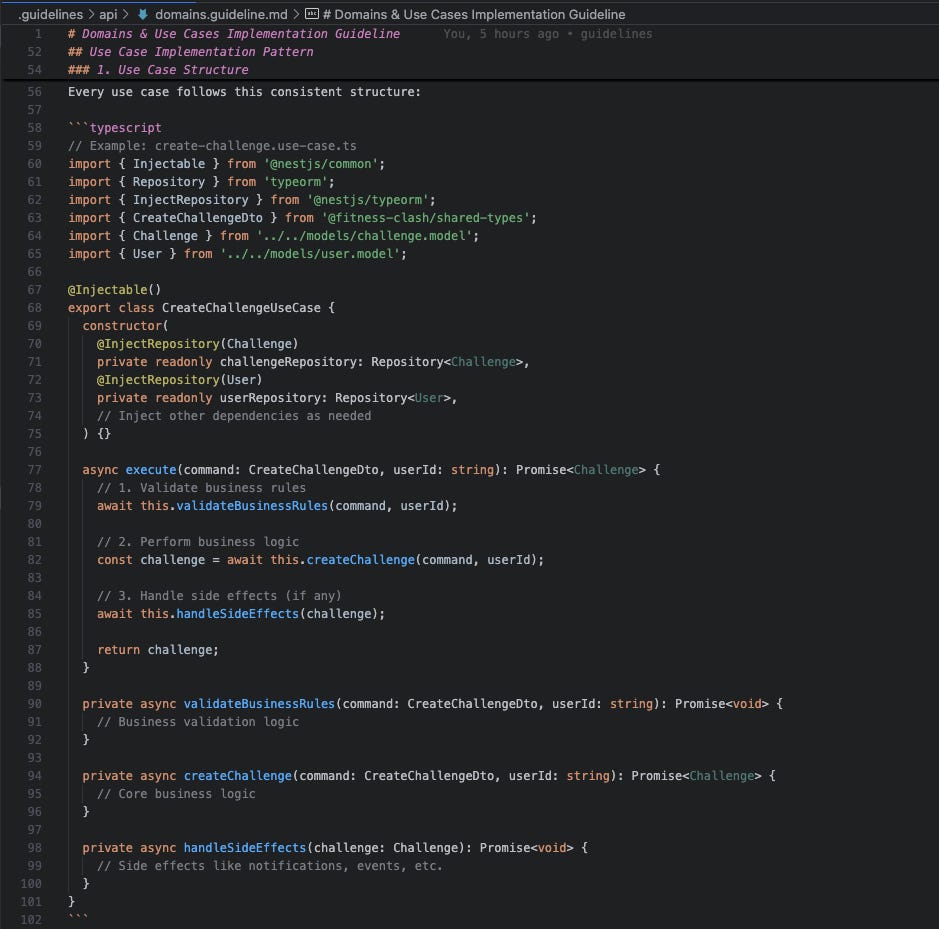
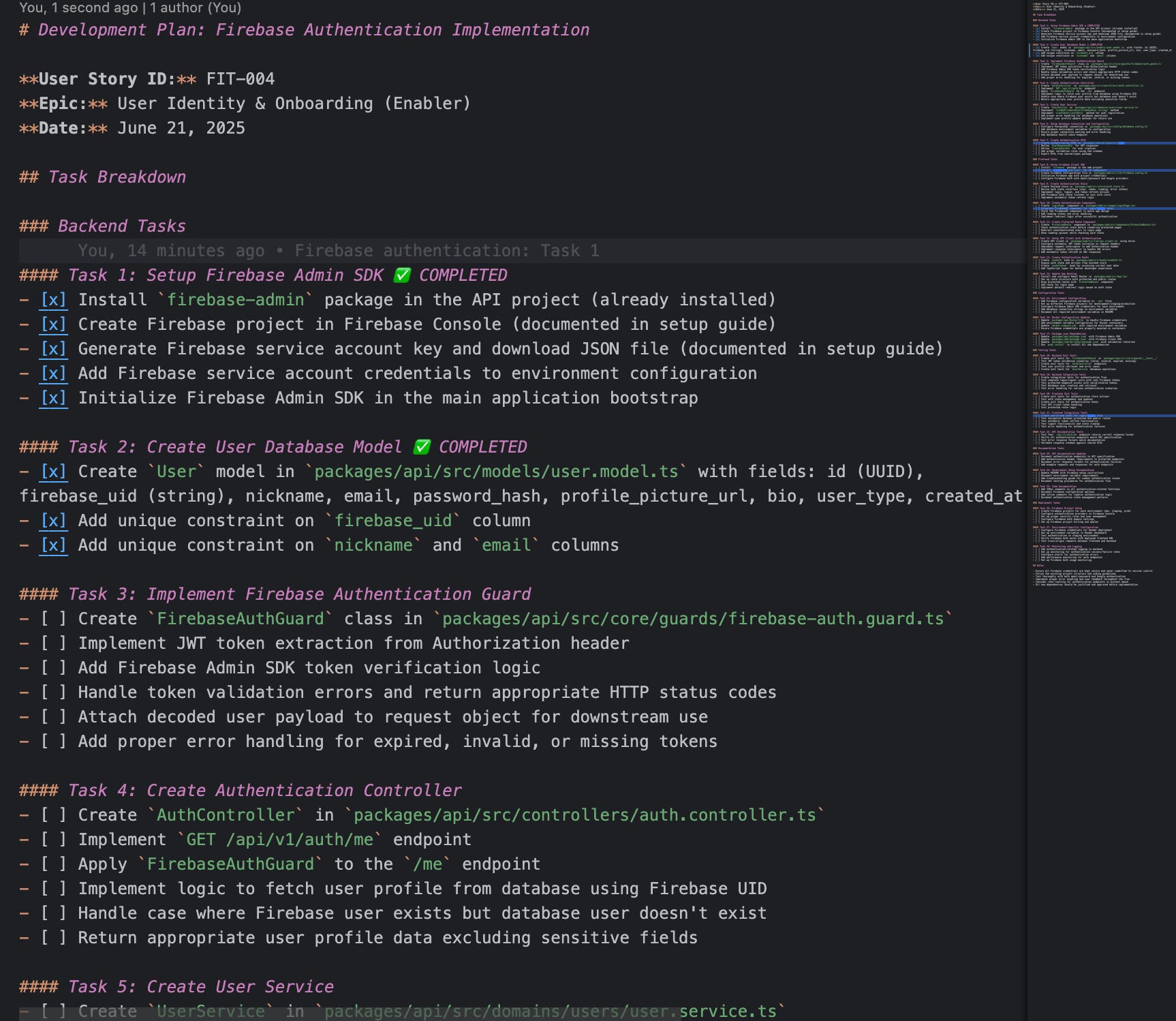
domain.guideline.md file, giving an example on how usecases should be structured./tasks:A folder to maintain user stories’ task breakdowns. For each feature, we will generate auser-story.task.mdfile and use it to instruct the agent and keep track of the completion. The idea here is to control the task execution, ensuring the agent will first plan what to do, then execute task by task while we review everything and make necessary path corrections.
Github Copilot specific folders
The next step is to configure our IDE to use all the context correctly when working. This section is specific for VS Code + Github Copilot, but other IDEs have similar (and even more advanced) features that will achieve a similar result. Copilot works with two types of files, which can refer to other files.
Instructions, which can be generic or file-specific, will be included in the AI context depending on the files that are being modified
Prompts, which are pre-built and reusable prompts, can be summoned to execute specific tasks using instructions or specific guidelines
So on our project, I created the following setup of instructions and prompts:
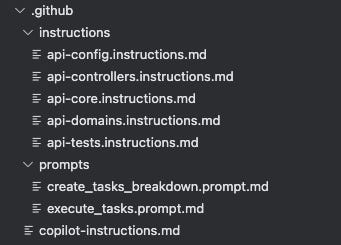
.github:copilot-instructions.md:A file referencing specs, the architecture, and code convention guidelines, which will always be added to the AI context../instructions:Instructions referencing specific guidelines, which will be added to the context only when the agent is modifying files that match their file pattern. To determine which files are affected by these instructions, we can use theapplyTopropertyapi-controllers.instructions.mdapi-domain.instructions.mdapi-core.instructions.mdapi-config.instructions.mdapi-tests.instructions.md
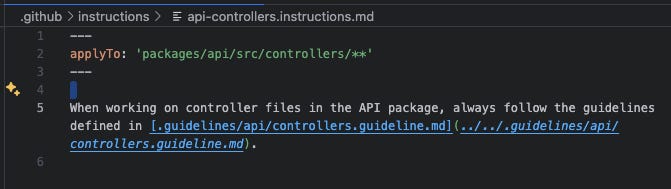
The api-controllers.instructions.md file, referencing the guidelines to be used when modifying/creating controllers ./prompts:create_tasks_breakdown.prompt.md:A prompt for breaking down a user story into small tasks and creating the.tasksfile consistently.execute_tasks.prompt.md:A prompt for executing tasks from the.tasksfile and mark them as complete.
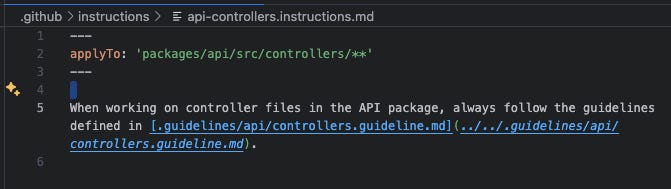
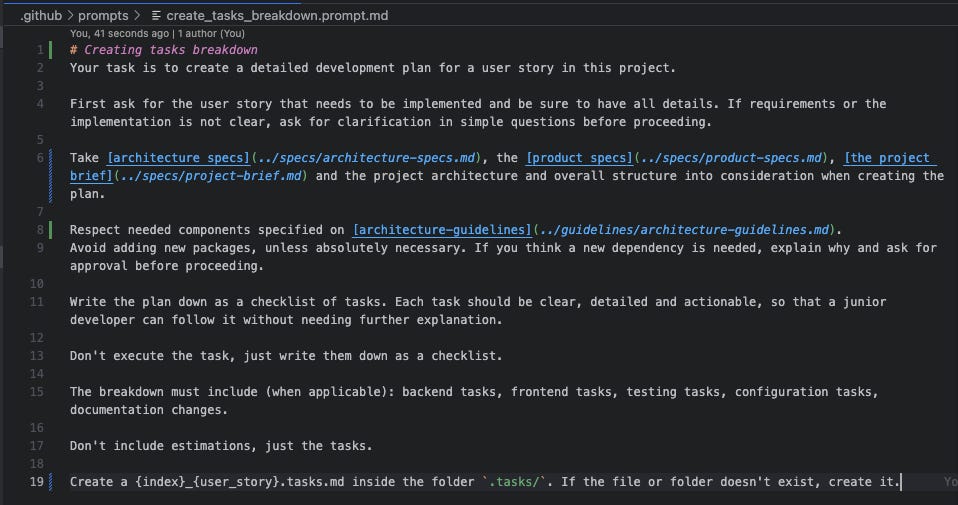
The create_tasks_breakdown.prompt.md prompt file, explaining how the agent should break down tasksThe AI-assisted development workflow:
Generate the feature specs:
Create
{id}_{feature}.user-story.mdfile in.specs/user-stories folder, manually (or with help from product folks), using custom prompts, the BMAD agent, or any other method.Review the user story and ensure it has everything that is needed
Create an implementation plan:
Use
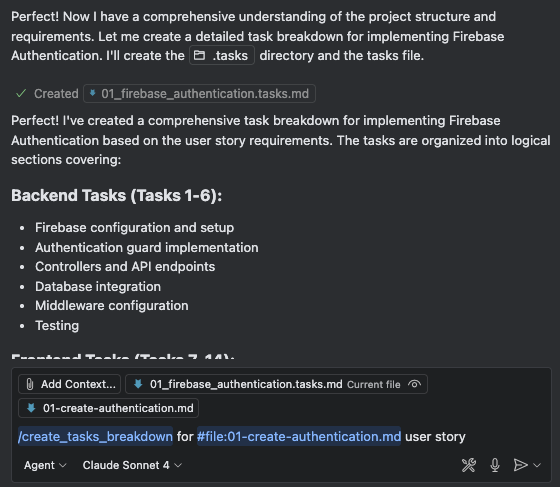
create_tasks_breakdown.prompt.mdto generate the task breakdown for the user story, which will be stored in the.tasksfolderManually review the breakdown and iterate until the plan makes sense
Implement the code:
Use
execute_tasks.prompt.mdto execute a subtask from the planReview the output, make adjustments, and test it
The agent will mark the subtask as completed in the tasks file
Go back to (a) and ask the agent to execute the next task
Do it until all tasks are completed and the user story is finished
Conclusion
This setup worked surprisingly well. With the right structure, clear guidelines, and scoped context, the coding agent became way more predictable and productive. It still made mistakes here and there (just like any junior dev), but by giving it clear specs, focused tasks, and a safety net of conventions, the results were solid and consistent.
What’s more interesting is that I also tested this approach on legacy codebases with different architectures. Even though the initial structure wasn't designed with AI in mind, adding guidelines and custom prompts helped bring clarity and reduce chaos. It gave the agent a map to navigate old code safely, making small changes with confidence and improving the overall maintainability of the system.
This is just the beginning. As coding agents evolve, our repos need to evolve with them. The key takeaway here is simple: if you want AI to write better code, you need to create a workspace where it can succeed. A well-defined architecture, structured context, clear goals: these aren't just good engineering practices, they’re the foundation for AI-assisted development that works.
Are you using similar or different approaches? Just share it in the comments!